 Español
 English
 British English
 Français
 日本語
日本語 Português (Portugal)
 Português (Brasil)
 Català
 Valencià
 Arpetan
 Deutsch
 Italiano
 Suomi
Suomi Русский
 Tiếng Việt
 Türkçe
 Magyar
 한국어
한국어

An Advanced Home for Accounts
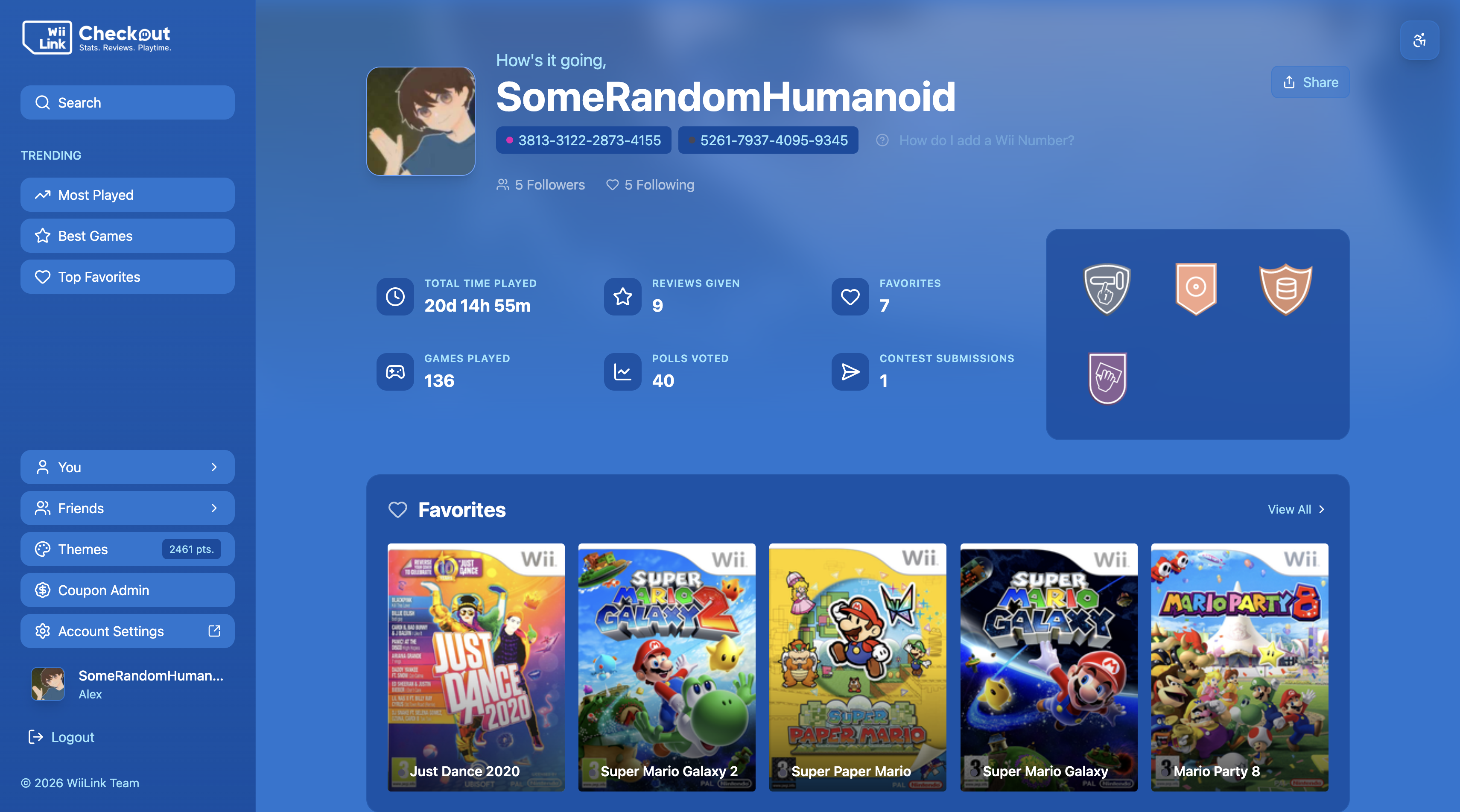
WiiLink Checkout is our web application designed to show all your Wii activity on all your devices. By using a WiiLink Account and linking your Wii, you can view playtime data, statistics, EVC polls, CMOC contests, and more! In addition, you can keep tabs on what your friends are up to by friending them, as well as gain points by playing games, submitting polls, or ranking high on CMOC contests. These points can later be exchanged for exclusive themes that can be applied to your profile page on Checkout.
If you haven’t done so, you can do it by following the instructions here.
Once your Wii is linked to your account, log into your WiiLink Account at https://checkout.wiilink.ca. From there, you can view all your linked Wiis, and see all the features Checkout has to offer!
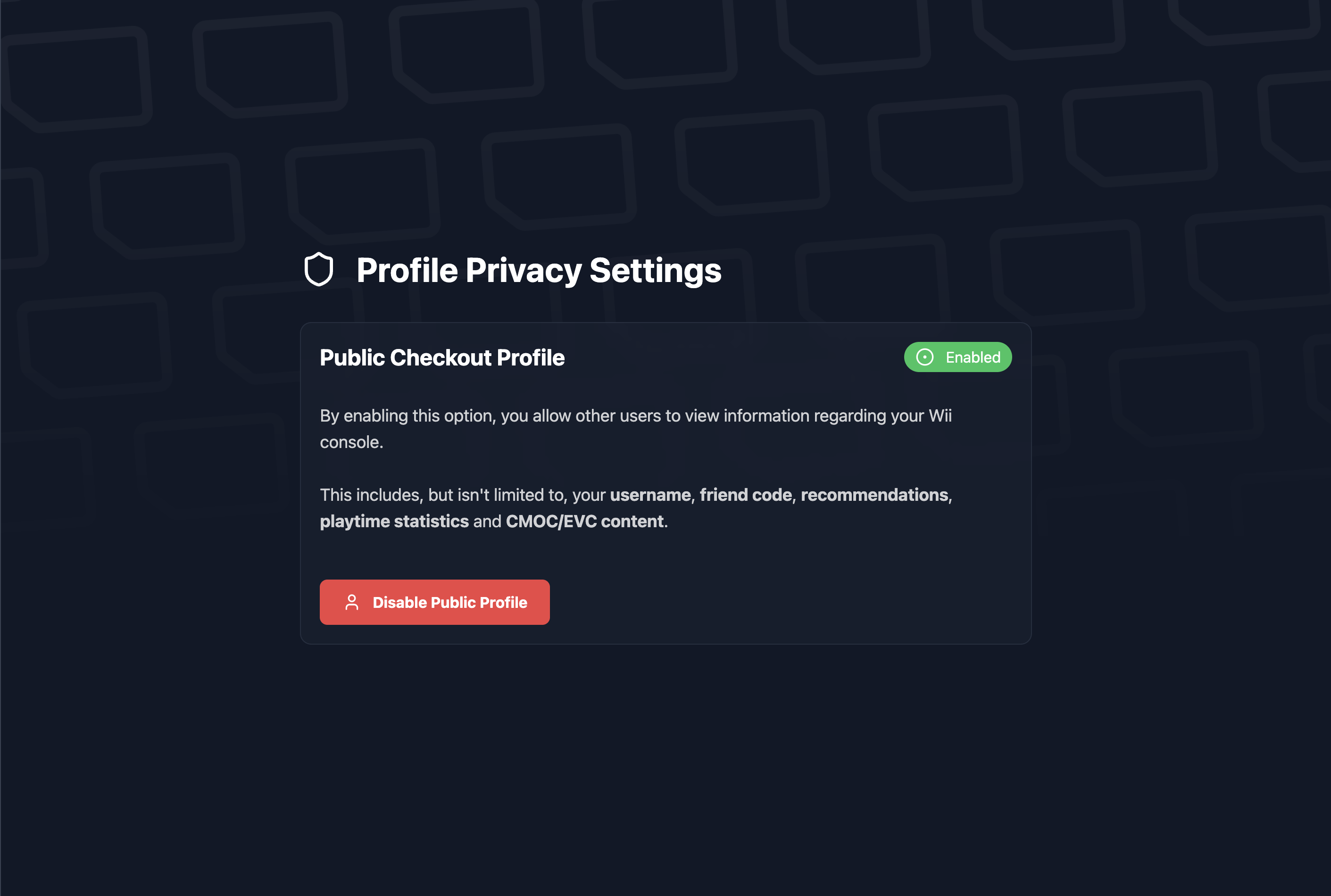
WiiLink Checkout allows you to have a public profile, which can be shared with your friends and family. To enable this, log into your WiiLink Account at https://accounts.wiilink.ca, and click on the Privacy tab. From there, you can enable your public profile.
By enabling Checkout notifications, you can receive notifications on your devices when new content is available for any of our services, when you need to pay for a Food Channel: Just Eat order, or to remind you to check out your placement at a contest. To enable this, log into your WiiLink Account at https://accounts.wiilink.ca, and click on the Notifications tab. From there, you can enable Checkout notifications and choose which types of notifications you want to receive.
WiiLink Checkout is also a PWA (Progressive Web App), which means you can install it on your mobile device and use it like a native app. To do this, log into your WiiLink Account at https://checkout.wiilink.ca, and click on the Install button in the top right corner of the page, or from the Share menu on iOS. From there, you can follow the instructions to install the app on your device.
You may have linked your Wii using the old version of the Account Linker. Please make sure you are using the latest version of the Account Linker, which can be downloaded from the Open Shop Channel or from https://oscwii.org/library/app/wiilink-account-linker.
You may have logged into another WiiLink Account. We advise you to have just one WiiLink Account, and to link your Wii to that account. If you have multiple accounts, please delete the extra accounts or ask us on Discord to unlink your Wii from the extra accounts.
Changes to your linked Wii only take effect once you log out and log back into your WiiLink Account on Checkout. Please make sure to do this after linking your Wii, or after making any changes to your linked Wiis.
Ensure you opted into data sharing on the Nintendo Channel settings menu.
Delete your Nintendo Channel save data and reopen the channel, having opted in to data sharing.
Please make sure you are logged into the correct WiiLink Account on Checkout.
If you have one Wii linked to multiple WiiLink Accounts, delete one of the accounts from your account settings or ask us on Discord to unlink your Wii from the extra accounts.
Download the latest version of the Account Linker from the Open Shop Channel or from https://oscwii.org/library/app/wiilink-account-linker, and relink your Wii to your account.
Please make sure you have enabled Checkout notifications on your WiiLink Account at https://accounts.wiilink.ca, on the device you wish to receive notifications on. You can also check your device’s notification settings to ensure that notifications are allowed for Checkout.





 WFC
WFC
 WiiLink Account
 Alex
Alex